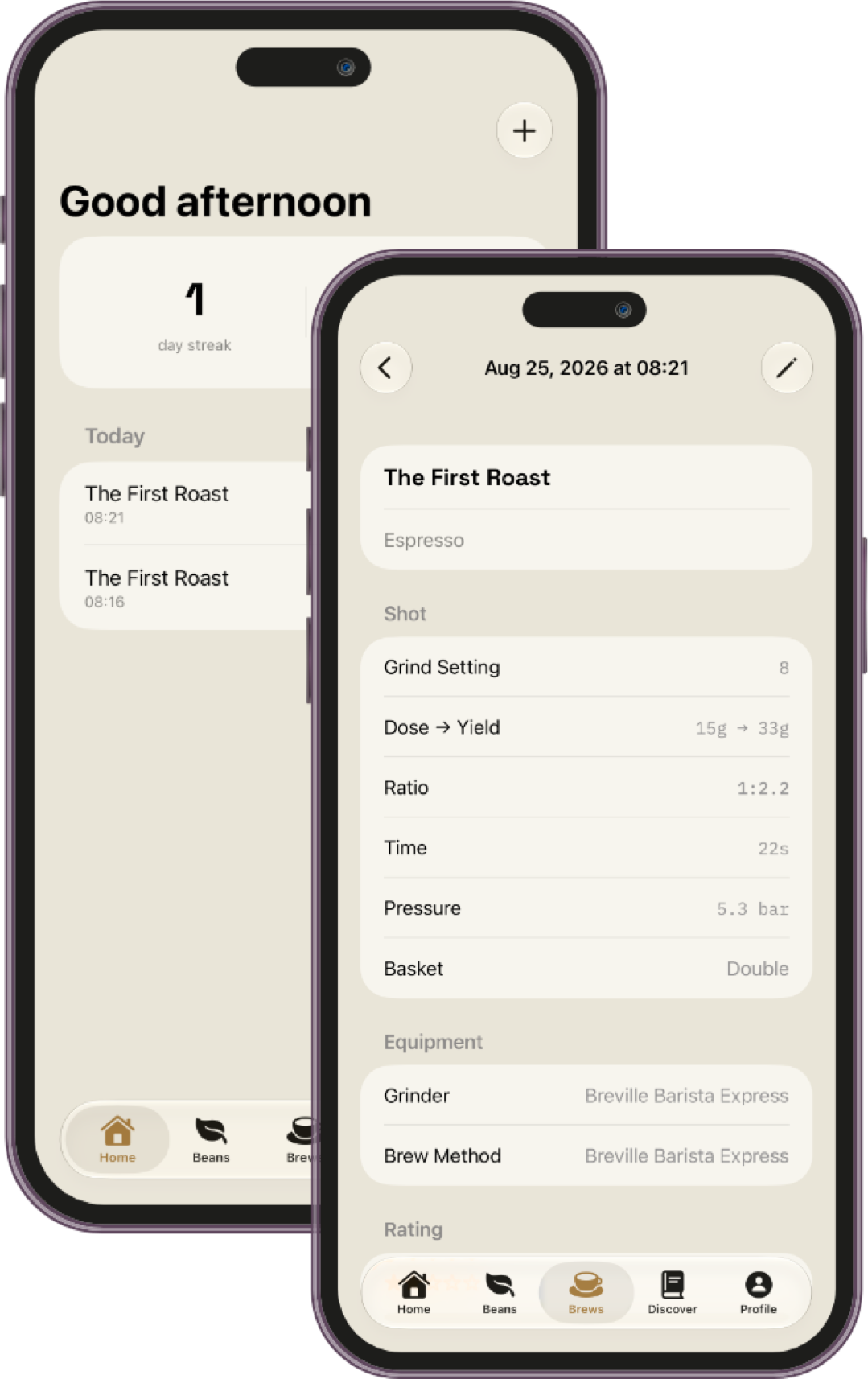
From bean to cup, whatever the method — Nine Bar keeps beans, equipment, dial-in history, and the drinks you actually make in one place, without turning coffee into a spreadsheet.
Nine Bar keeps the essentials fast to log, and gets out of the way otherwise.
Bean library
Roaster, roast date, and freshness tracked automatically — know exactly when a bag is at its best.
Dial-in history
Dose, yield, time, and pressure for every pull, so patterns show up on their own.
Drink glossary
Every coffee drink you'll ever make, grouped into seven families — no more guessing what a cortado is.
Recipes
Save a formula that works, and see which beans it's actually been best with.
Equipment profiles
Grinder, brew method, scale, kettle, water, and milk gear, organized in one place.
Ratio calculator
Find the right ratio before you even open the app — see it below, free for anyone to use.
Free tool, no download required
Find your ratio before you brew.
Pick a method and a strength, enter what you've got, and get the rest — coffee, water, and how long to brew it.
1 : 16
Coffee
20 g
Water
320 g
Brew time
3–3.5 min
Water temperature by roast level
Light roast200–205°F 93–96°C
Medium roast195–200°F 90–93°C
Dark roast190–195°F 88–90°C
Nine Bar remembers this for you automatically — pick a bean and a brew method in the app, and your targets are already set.
How it works
Simple by design.
Nine Bar is built to log fast and stay out of the way — four steps from opening the app to knowing what to repeat.
Add a bean to your library — roaster, roast date, and tasting notes in under a minute.
Log a pull — dose, yield, time, and pressure, plus what you actually made.
Rate the shot, so the patterns show up on their own over time.
Save what works as a recipe, and see which beans it's been best with.
A note on your data
Nine Bar works fully offline, with no account required. Your data stays on your device by default. Nine Bar Pro users can optionally create an account to sync their journal across devices.
Download Nine Bar
Download Nine Bar in the App Store.
Nine Bar is available on the App Store — start your journal and find your nine.
Clear answers for launch, usage, and expectations.
Is Nine Bar just for espresso?
No. Nine Bar tracks the full range of coffee drinks — espresso, milk drinks, pour-over, cold brew, and more — grouped by the seven drink families in the built-in glossary.
Do I need an account to use it?
No. Nine Bar works fully offline with no account required. Nine Bar Pro users can optionally create an account to sync their journal across devices.
How much does it cost?
The free tier lets you track up to 4 beans total across all statuses, 1 grinder, and 2 brew methods. Nine Bar Pro removes all three limits and unlocks paid capabilities, including optional cross-device sync. Pro is available as a subscription or a one-time purchase.
Does Nine Bar track me?
No. Nine Bar doesn't track you or sell your data. Everything you log stays on your device by default, and Nine Bar Pro users can choose to create an account for cross-device sync.